A few months back, I wanted to build a simple app for tracking my own website traffic. I don’t know coding. Not even basic HTML. So I did what most people do now — I opened Google and typed “best AI tools to build an app without coding.” That one search changed how I look at app development completely.
Over the last few weeks, I tested seven different AI tools that claim to help you build apps. Some are made for people like me, who can’t write a single line of code. Others are built for developers who just want AI to speed up their daily work. I built small test projects on each tool, checked how fast they worked, how much they cost, and how good the final app actually looked once it was live.
This post is not a copy-paste list from other websites. Everything you read here comes from my own hands-on testing, my own mistakes, and my own results. If you are searching for the best AI tools for making apps in 2026, whether you are a complete beginner or someone who already writes a little code, this guide will help you pick the right tool without wasting your time or your money.
7 Best AI Tools For Making Apps In 2026 (My Honest Experience After Testing Them All)
Why I Started Looking For AI App Making Tools
Honestly, it started as a small personal problem. I run a few websites and I kept switching between five different apps just to check my daily numbers. One day I thought, why not build one simple app that does everything I need in one place? That’s when I realised hiring a developer for a small personal project didn’t make sense. Freelance developers were quoting me anywhere between fifteen thousand to forty thousand rupees for something this basic.
So I turned to AI app building tools instead. And I was surprised how far this space has come. Two years ago, these tools could barely create a working button. Now, you can describe your app in plain English, and within minutes, you get something that actually runs, connects to a database, and looks decent enough to show someone.
What pushed me further was realising this isn’t just useful for personal projects. Small business owners, students, and even side-hustlers are using these same tools to launch real products. Some of my own reader messages ask this exact question — which AI tool should I use to build my first app without learning to code from scratch.
Why I Started Looking For AI App Making Tools
Honestly, it started as a small personal problem. I run a few websites and I kept switching between five different apps just to check my daily numbers. One day I thought, why not build one simple app that does everything I need in one place? That’s when I realised hiring a developer for a small personal project didn’t make sense. Freelance developers were quoting me anywhere between fifteen thousand to forty thousand rupees for something this basic.
So I turned to AI app building tools instead. And I was surprised how far this space has come. Two years ago, these tools could barely create a working button. Now, you can describe your app in plain English, and within minutes, you get something that actually runs, connects to a database, and looks decent enough to show someone.
What pushed me further was realising this isn’t just useful for personal projects. Small business owners, students, and even side-hustlers are using these same tools to launch real products. Some of my own reader messages ask this exact question — which AI tool should I use to build my first app without learning to code from scratch.
What Makes An AI App Building Tool Actually Good
Before I share the list, let me explain what I actually judged these tools on, because most reviews online just talk about features without telling you what really matters when you’re using the tool with your own hands.
Ease Of Use For Beginners
If a tool needs me to understand terms like backend, API, or database schema before I even start, it fails this test for most regular users. A good AI app builder should let you type what you want in normal language, the same way you’d explain it to a friend, and still give you something usable. I tested this by asking each tool to build the same simple app — a personal expense tracker — and timed how long it took me to get a working version.
Flexibility For Developers
At the same time, a tool that’s too basic becomes useless once you want to add something slightly advanced, like user login or payment integration. So I also checked how each tool behaves when you push it further than beginner level, and whether it lets you touch the actual code if you know how, instead of locking you inside a fixed template forever.
The 7 Best AI Tools For Making Apps In 2026
1. Lovable
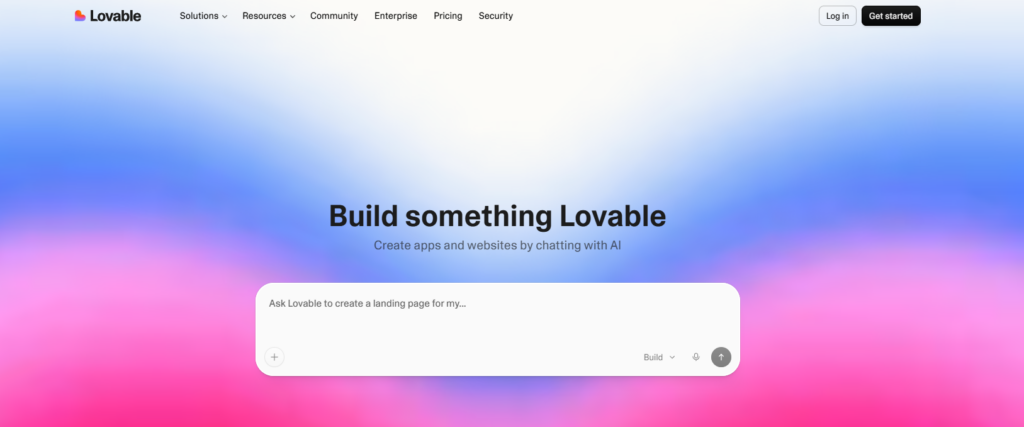
Lovable was the first tool I tried, mainly because so many people were talking about it on Twitter. You describe your app in plain English, and it builds a working version with a proper interface, not just a rough sketch. I made a small booking-style app on it, and honestly, the design quality surprised me. It looked like something a real designer had touched, not a generic template.
Where it struggled was with slightly complex features. When I asked it to add a custom booking calendar with specific time slots, it took a few tries and some back-and-forth prompting to get right. Still, for someone who just wants a clean, working app fast, this is one of the strongest starting points available right now.
2. Bolt.new
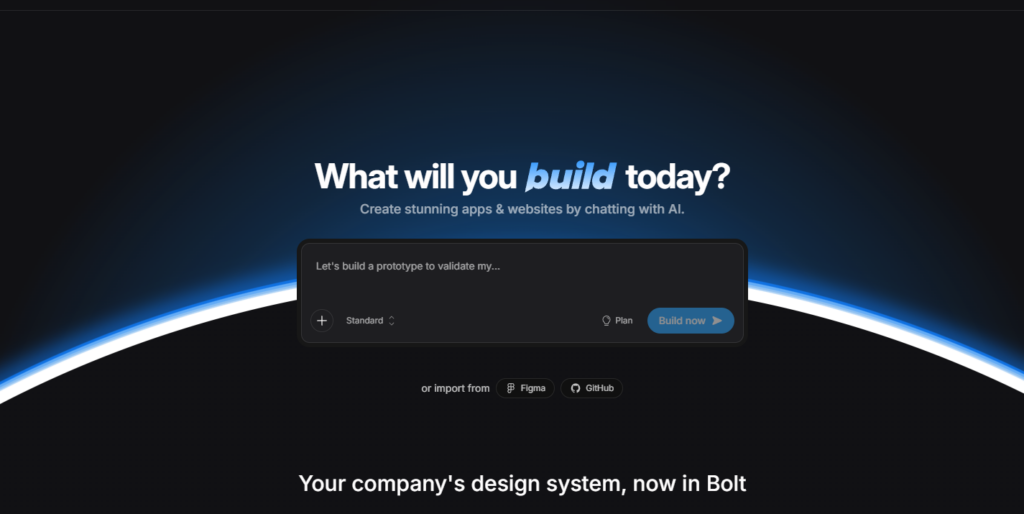
Bolt.new is built for speed. I gave it the same brief I gave Lovable, and it had a working version live in under two minutes. It runs everything inside your browser, no setup needed. The tool remembers your earlier instructions well, so you can keep refining your app without repeating yourself. It’s best suited for quick web-based projects rather than anything needing native mobile publishing.
3. Bubble
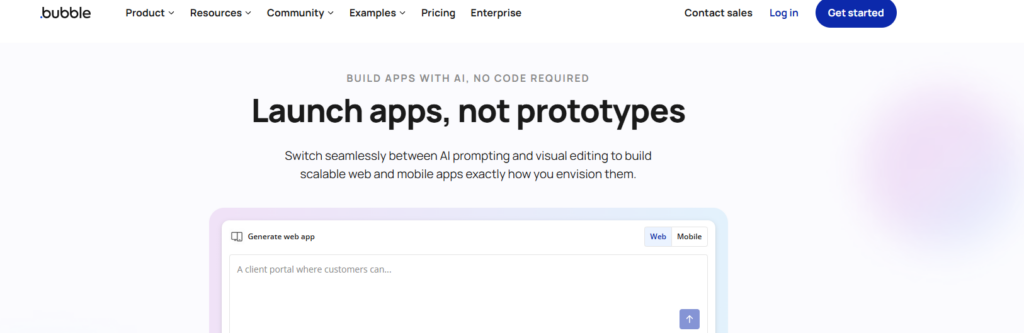
Bubble feels different from the first two. It’s been around for over a decade, so it’s less about typing a prompt and more about a proper visual builder with AI features added on top. I’ll be honest, there’s a learning curve here. My first hour on Bubble felt confusing because of all the panels and settings.
But once it clicked, I understood why so many startups still use it. You get real control over your database, your workflows, and how your app behaves in detail. If Lovable and Bolt.new are like ordering a ready meal, Bubble is like being handed a proper kitchen. It takes longer to cook something, but you decide exactly what goes into it. This makes it a solid pick for anyone planning to build a serious product, not just a quick weekend project.
4. Cursor
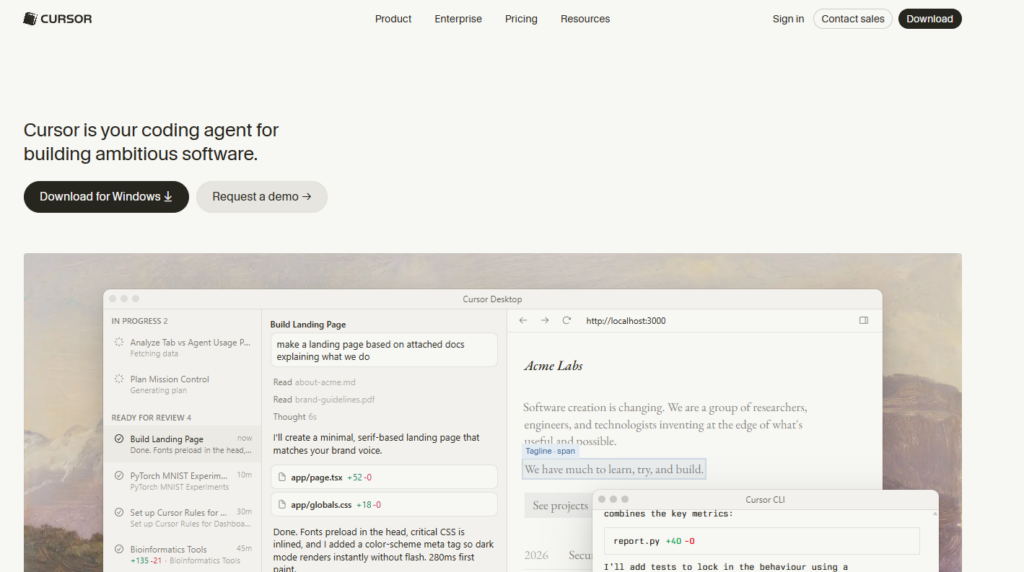
Cursor is where things shift toward actual coding. This isn’t for someone who has never touched code before. It’s built for developers, working like a smart coding partner inside your existing editor. I asked a developer friend to test it with me, and what stood out was how well it understood context across a large project, not just single lines of code.
Cursor suggested fixes, caught small errors before they became bigger problems, and even explained why a piece of code was written a certain way. For someone learning to code, or a developer wanting to move faster, this becomes less of a tool and more of a daily habit.
5. Replit
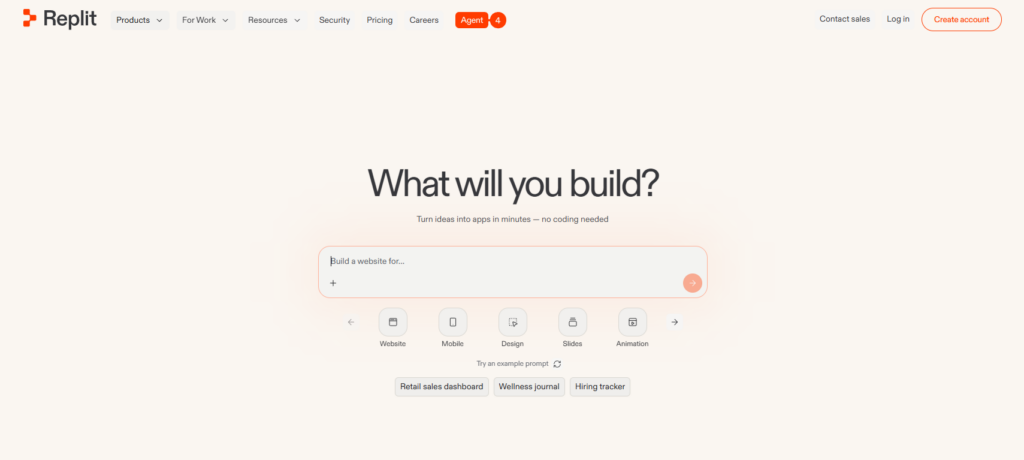
Replit sits somewhere between Cursor and Bubble. You can write code manually if you want, or let its AI agent handle most of the work while you guide it in plain language. I tested this by asking it to build a small app with user login and a simple dashboard. It handled the login part well, though I did notice it needed clearer, more specific instructions compared to Lovable or Bolt.new.
What I liked most is that everything runs in one place. You don’t need to install anything separately, and testing your app on your phone takes just a QR code scan. For students or people just starting to explore how apps are built behind the scenes, Replit gives a good mix of learning and speed. It’s not the fastest option here, but it’s one of the more forgiving ones if you’re still figuring things out as you go.
6. v0 by Vercel
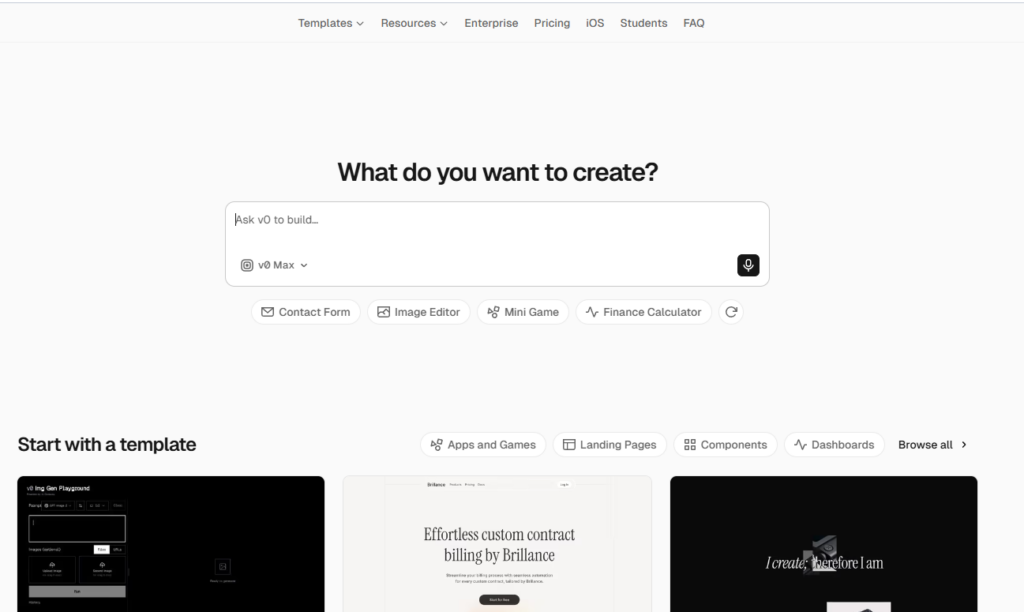
v0 is a bit more design-focused compared to the others. It’s built by the same team behind Vercel, so it naturally leans toward clean, modern-looking interfaces. I used it mainly to generate a landing page and a small component-based app, and the output looked genuinely professional straight away, better than what I expected from a first attempt.
The catch is that v0 works best when you already have some idea of code structure. It’s not as beginner-friendly as Lovable or Bolt.new. You often end up copying pieces into your own project rather than getting one complete, ready-to-launch app. So think of it as a strong design partner rather than a full app builder on its own.
7. Base44
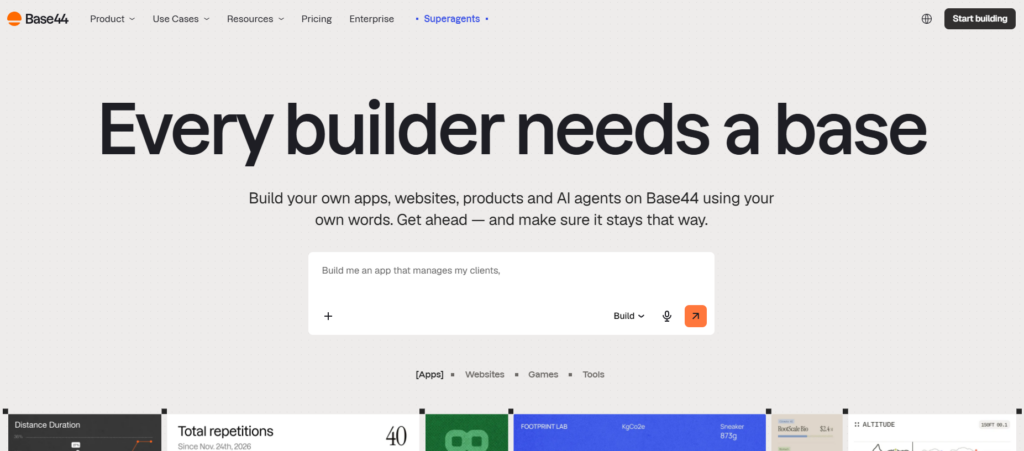
Base44 turned out to be one of the easiest tools on this entire list. I built a basic app with authentication, a database, and a working dashboard, and it was live in under five minutes. What stood out was how it explained each step while building, almost like it was teaching me instead of just working silently in the background.
For someone who has zero technical background, Base44 removes a lot of the fear factor that usually comes with the word “app development.” It also lets you publish directly to the Apple App Store and Google Play from the same platform, which none of the earlier tools on this list offer in such a simple way. If your main goal is a working mobile app without touching a single settings menu you don’t understand, this is the one I’d point a complete beginner toward first.
My Personal Experience Building An App With These Tools
Testing all seven back-to-back taught me something I didn’t expect going in. The tool doesn’t matter as much as how clearly you explain what you want. I noticed this the most with Lovable and Replit. When my instructions were vague, like “build me a booking app,” the results were average at best. But the moment I got specific, mentioning exact fields, exact button names, exact user flow, the output improved almost instantly.
This changed how I think about AI tools in general. They’re not mind readers. They’re fast executors of clear instructions, and the clearer you are, the better your app turns out.
What Worked
Being specific from the very first prompt saved me the most time. Instead of saying “make a login page,” saying “make a login page with email and password fields, plus a forgot password link” gave me almost the exact result I wanted on the first try. I also found it helpful to build in small pieces rather than asking for the entire app at once. One screen at a time, tested and confirmed, before moving to the next.
What Didn’t Work
Asking for too much in a single prompt almost always backfired. When I tried to describe an entire app with five features in one go, the tools would usually get two or three right and completely miss the rest. I also learned not to trust the first version blindly. Even Base44 and Bolt.new, which felt the most polished, needed at least one round of corrections before the app actually worked the way I imagined it. Patience matters here more than technical skill. None of these tools replace thinking clearly about what you’re building; they just remove the need to know code while you do it.
No-Code Tools vs AI Coding Assistants — Which One To Pick
After using both types, here’s how I’d explain the difference to a friend. No-code tools like Lovable, Bolt.new, Bubble, and Base44 are for people who want an app to exist without ever opening a code file. You describe, you click, you publish. The trade-off is that once your idea gets complex, you sometimes hit a wall you can’t push past without learning at least a little code.
AI coding assistants like Cursor and Replit are for people who either already know some code or are willing to learn as they go. These tools don’t remove code from the picture, they just make writing it faster and less painful. You get more control, but you also carry more responsibility for how the app actually works underneath.
My honest suggestion, based on my own testing: if you just want an app live this week for personal use or a small business, start with Base44 or Bolt.new. If you’re planning to build something you’ll keep improving for years, or you want to actually understand how apps work, Cursor is worth the extra learning curve.
New Job Opportunities AI App Tools Are Creating
One thing I didn’t expect when I started this testing was how many new ways people are actually earning money using these exact tools. This isn’t replacing developers, it’s opening a different kind of work for people who never had a way into tech before.
Freelance App Building
I’ve come across several people on freelance platforms now offering “build your app in 48 hours using AI tools” as a service. They’re not writing code from scratch, they’re skilled at prompting these tools correctly and fixing the small issues that come up, and clients are paying real money for that speed.
No-Code Consultant Roles
Small businesses that don’t want to hire a full development team are hiring consultants who specialise in tools like Bubble or Softr. Their job is basically translating a business owner’s needs into a working app using these platforms.
AI Prompt-Based Development
A newer role I’ve seen mentioned is something like “AI app prompt engineer,” people who focus purely on writing precise, structured instructions that get these tools to output exactly what’s needed, without wasting revisions.
Where App Development Is Headed Next
Based on what I’ve seen just in the last year of using these tools, the gap between “I have an idea” and “I have a working app” is shrinking fast. A few years ago, this same testing process would have needed a developer, a designer, and weeks of back and forth. Now I did it alone, in my spare time, across a few evenings.
I don’t think this replaces developers, at least not the good ones. What I do think is that it changes who gets to try building something in the first place. Someone with zero coding background, like me, can now test an idea without spending money on a developer first. That alone is a big shift. It means more ideas actually get tested instead of staying stuck in someone’s notes app forever.
My honest guess is that within the next couple of years, knowing how to work well with these AI tools will matter almost as much as knowing how to code did a decade ago. Not instead of coding skills, but alongside them, as a genuinely useful skill on its own.
Final Verdict — Which One Should You Use
If I had to point one person toward one tool based on everything I tested, here’s how I’d break it down honestly.
If you have zero technical background and just want something live fast, go with Base44. It held my hand through the entire process without making me feel stupid for not knowing terms like backend or database.
If speed and browser-based simplicity matter most to you, Bolt.new is hard to beat. Nothing else on this list got me from idea to live app faster.
If you’re building something you plan to grow into a real business over time, Bubble is worth the slower learning curve because of how much control it gives you later.
If you already write some code, or you’re serious about learning, Cursor will genuinely make you better and faster at it, not just hand you a shortcut.
There isn’t one single “best” tool here. There’s a best tool for what you’re actually trying to build, and that’s the honest answer I wish more articles gave instead of just naming one winner.
Here’s Part 14 (200 words) — FAQs section:
FAQs
Which AI tool is best for making an app without coding?
Based on my testing, Base44 and Bolt.new are the easiest for someone with zero coding background. Both let you describe your app in plain English and get a working version within minutes.
Can I really build an app with AI tools for free?
Yes, most tools on this list offer a free tier, though it usually limits you to one or two apps and a fixed number of AI credits. For serious projects, you’ll likely need a paid plan eventually.
Do I need to know coding to use these AI app builders?
No, not for tools like Lovable, Bolt.new, or Base44. But tools like Cursor and Replit work better if you at least understand basic coding concepts.
Are AI-made apps good enough to publish on the App Store?
Some are. Base44 and a few others let you publish directly to the Apple App Store and Google Play. Others, like Bolt.new and v0, are mainly for web apps.
Will AI replace app developers completely?
Based on what I’ve seen, no. It changes who can start building, but skilled developers are still needed once an app grows complex.
Wrapping Up
Testing all seven of these AI tools taught me more about app building than I expected going in. I started this out of a simple personal need, a way to track my own website traffic, and ended up understanding an entire shift happening in how apps get made.
If you’re reading this because you have an idea sitting in your notes app, my honest advice is this: pick one tool from this list based on your comfort level, not based on which one sounds the most impressive. Start small. Build one screen. Test it. Then build the next one.
You don’t need to know code to start. You just need to be specific about what you want and patient enough to fix the small things AI gets wrong. That’s really the whole secret, and now you know it too.