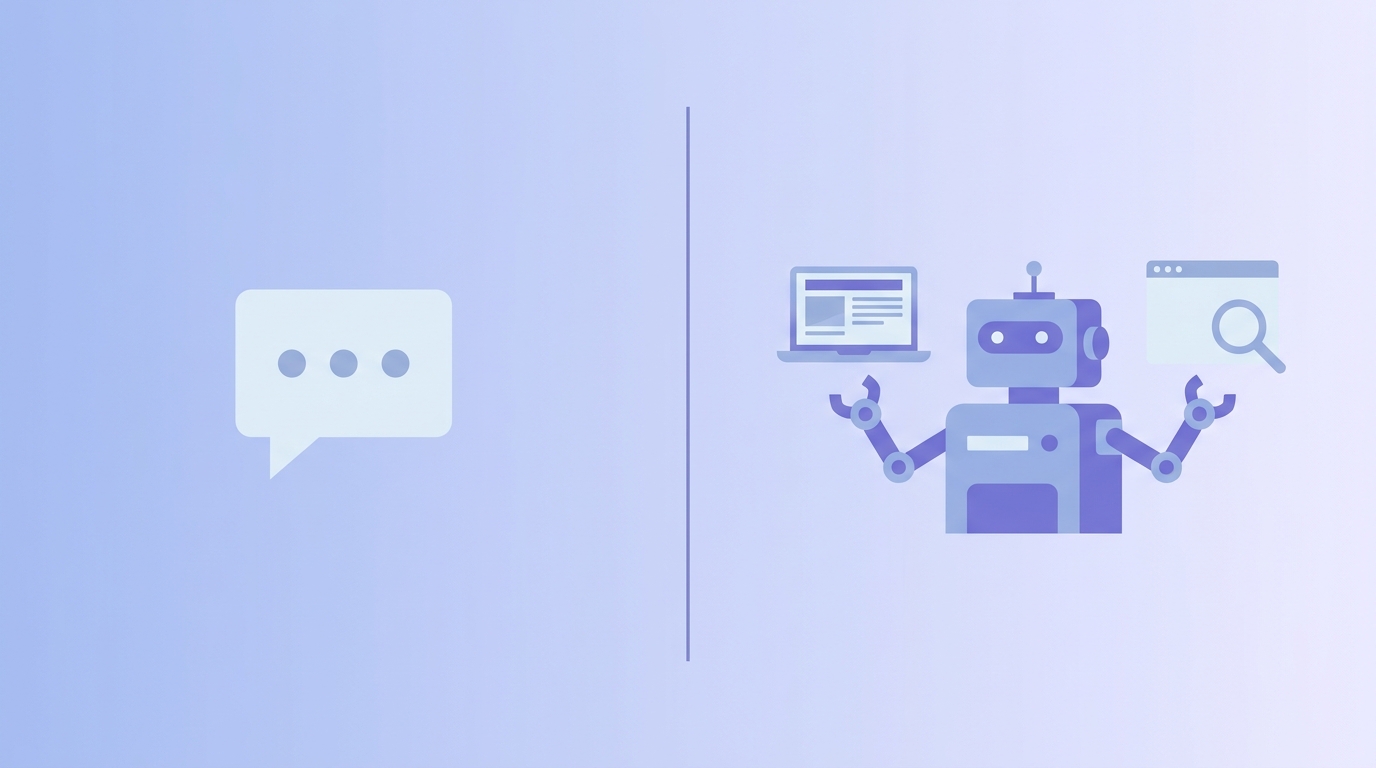
Last month I asked ChatGPT to write a week of Instagram captions for my page. It gave me solid captions, but I still had to copy each one, schedule it, tweak the hashtags, and check what worked. Weeks later, I tried something different. I set up a small AI agent that pulled trending content ideas, drafted the captions, and scheduled them for me while I was asleep. Same category of tool, completely different experience.
That difference is what most people still get wrong about AI agents vs chatbots. We throw both words around like they mean the same thing, but they don’t. One waits for you. The other works for you.
If you have only used tools like ChatGPT, Gemini, or a customer support bot on some website, you have used a chatbot. It is smart, it talks well, but it does nothing until you type something. An AI agent is a different animal. Give it a goal, and it plans steps, uses tools, and finishes the task on its own.
In this post, I’ll break down what actually separates the two, share what changed in my own workflow, and look at where the job market is heading because of this shift.
AI Agents vs Chatbots: What’s Actually Different? What Is a Chatbot, Really?
A chatbot is basically a very good conversation partner. You type something, it reads your words, and it replies based on patterns it learned from huge amounts of text. That’s it. It doesn’t remember what you asked yesterday unless the app is built to save that. It doesn’t open a browser on its own. It doesn’t decide to do anything unless you tell it to.
Think of it like texting a friend who is brilliant but has no arms and legs. You can ask him anything — how to write an email, explain a concept, fix a sentence — and he’ll answer instantly. But he can’t walk over and actually send that email for you. You still have to do the sending.
How Chatbots Actually Work Behind the Scenes
Under the hood, a chatbot takes your input, matches it against patterns it learned during training, and generates a reply word by word based on probability. Some chatbots are simple rule-based bots (press 1 for sales, press 2 for support). Others, like the AI chat tools we use daily, are far more advanced and can hold a real conversation. But even the advanced ones share one trait: they respond only when you speak first.
Chatbots You’re Already Using Every Day
You’ve probably used more chatbots than you realize. The customer support widget that pops up on a shopping website, the FAQ bot on a bank’s app, even the basic version of ChatGPT when you’re just asking questions without connecting it to any tool — all of these are chatbots. They’re reactive by design, and that’s not a flaw. For quick answers, FAQs, and simple back-and-forth conversations, a chatbot is fast, cheap to run, and reliable. Nobody needs an autonomous system just to check store hours.
What Is an AI Agent? (It’s Not Just “Chatting”)
An AI agent starts from the same base — a language model — but it’s been given something extra: the ability to act. It can browse the web, use software tools, remember context from earlier steps, and make small decisions along the way without you typing each instruction one by one.
Here’s the simplest way I explain it to people who ask me: a chatbot is a brain in a room with no hands. An AI agent is that same brain, but now it has hands, a laptop, and permission to actually do things — search, click, write, save, and move on to the next step by itself.
The “Brain + Hands” Difference
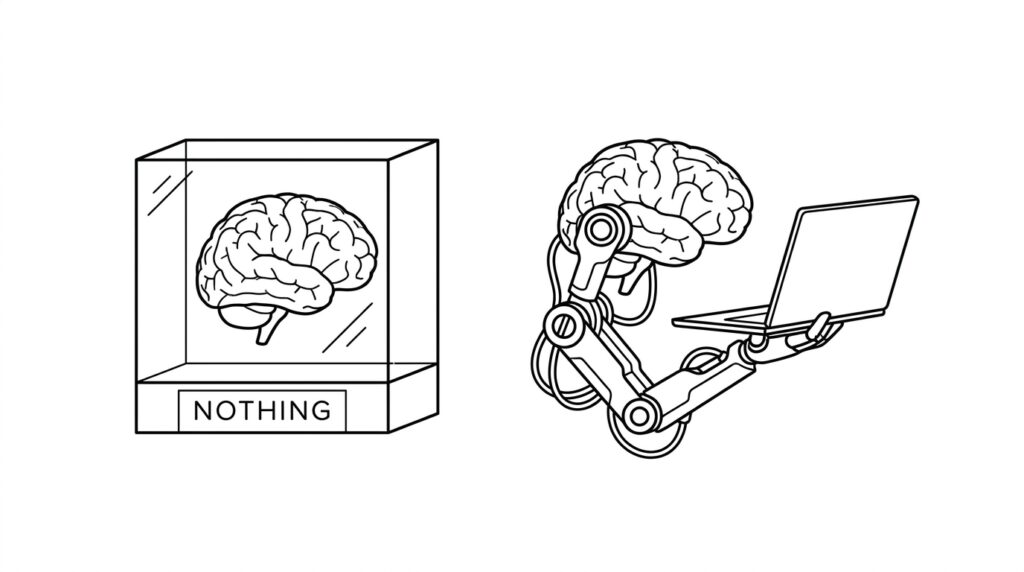
This “brain vs brain-plus-hands” idea is really the whole story of AI agents vs chatbots. A chatbot’s entire world is the text box in front of it. It has no memory of your files, no access to your calendar, no way to check if something actually happened. An AI agent, on the other hand, is connected to real systems — it can read a spreadsheet, post to social media, send an email, or check whether a task was completed successfully, then adjust its next move based on that result.
That last part is the real shift. A chatbot generates an answer and stops. An agent generates a plan, executes it step by step, checks its own work, and keeps going until the goal is done or it hits a point where it needs your approval.
A Real Example of an AI Agent Doing Actual Work
Here’s what this looked like for me in practice. Instead of asking a chatbot “write me 5 caption ideas” and manually posting each one, I gave an agent a single goal: keep my page’s Reels captions fresh and scheduled through the week. It pulled ideas, wrote drafts, formatted them for the platform, and queued them — no copy-pasting on my end. That’s not a smarter chatbot. That’s a different category of tool.
AI Agents vs Chatbots: The Core Differences
Once you actually use both, the differences stop being theoretical and start showing up in your daily work. Here’s what separates them in practice.
Autonomy — Who’s Really in Control?
With a chatbot, you’re the pilot every single time. You ask, it answers, you decide the next step. With an AI agent, you hand over the steering wheel for a defined task. You set the destination — “grow my page’s engagement this week” — and the agent figures out the route: which posts to prioritize, when to publish, what to tweak. You’re still in charge of the goal, but not every micro-decision along the way.
Memory and Personalization
Most basic chatbots treat every conversation like it’s the first time they’ve met you, unless the app specifically saves your history. AI agents are usually built with memory baked in. They remember what worked last week, what your audience responded to, and they carry that forward instead of starting from zero every time. This is a big part of why agent-based tools feel less like a search engine and more like an actual assistant who’s been paying attention.
Taking Real Action vs Just Talking
Setup and Learning Curve
Chatbots are plug-and-play. Open the app, type, get an answer. Agents take more setup — connecting accounts, defining what they’re allowed to do, and reviewing their first few runs closely. It’s less “type and go” and more “train and trust,” which is exactly why most people start with chatbots before moving to agents. is the difference that matters most. A chatbot’s output is always text
— a suggestion, a draft, an explanation. What you do with that text is entirely on you. An AI agent’s output is often an action that actually happened. It didn’t just suggest a caption, it posted it. It didn’t just draft an email, it sent it. That’s a huge responsibility shift, and it’s also why agents need clear boundaries and permissions before you let them loose.
Example — Booking, Emailing, Research Tasks
Picture asking for help planning a trip. A chatbot will list flight options, hotel names, and a rough itinerary — all text, all research. An AI agent can go further: check real prices, compare dates, and actually complete the booking if you’ve given it permission and payment access. Same starting question, completely different finish line.
My Personal Experience Using Both
I didn’t switch to agent-based workflows because it sounded exciting. I switched because I was tired. Every day looked the same — open a chatbot, ask for ideas, copy the output, paste it somewhere else, format it, schedule it, repeat for every single post across every page I manage. The chatbot was never the bottleneck. My own copy-pasting was.
What Changed When I Switched My Workflow
The first week I handed off scheduling to an agent, I kept checking obsessively, waiting for something to break. Nothing did. What actually changed was smaller than I expected — I got maybe an extra hour back each day, and my captions started sounding more consistent because the agent was pulling from what had actually performed well before, not just guessing fresh each time. It wasn’t magic. It was just fewer manual steps between an idea and it going live.
Mistakes I Made (So You Don’t Repeat Them)
I gave one agent too much freedom too early — full posting access before I’d reviewed even a handful of its drafts. One caption went out with a tone that didn’t match the page at all. Nothing disastrous, but it taught me fast: start with the agent drafting only, review for a week, then slowly hand over more control.
When Should You Use a Chatbot vs an AI Agent?
Neither tool is “better” in general — it depends entirely on what you’re trying to get done. The mistake I see people make is picking based on hype instead of the actual task in front of them.
Best Use Cases for Chatbots
Stick with a chatbot when you need to brainstorm ideas, write or rewrite a paragraph, get a quick explanation, summarize a document, or just think out loud about a problem. These are all situations where you want a fast answer and you’re still the one deciding what happens next. For a lot of everyday writing and research tasks, a chatbot is honestly faster than setting up an agent for something that doesn’t need automation.
Best Use Cases for AI Agents
Reach for an agent when the task involves multiple repeated steps, needs to pull from live data, or has to actually complete something without you sitting there the whole time — scheduling content, monitoring mentions of your brand, researching and compiling information from several sources, or handling repetitive customer replies. If you catch yourself doing the same multi-step task every single day, that’s usually your sign an agent should be doing it instead.
Quick Comparison Table
| Chatbot | AI Agent | |
|---|---|---|
| Waits for input | Always | Only at the start |
| Takes real action | No | Yes |
| Remembers past sessions | Usually not | Usually yes |
| Best for | Quick answers, writing help | Multi-step, repeated tasks |
| Setup effort | None | Moderate |
| Risk if it makes a mistake | Low (just text) | Higher (real actions) |
Popular AI Agent Tools Worth Trying Right Now
You don’t need to be a developer to start using agents in 2026. Plenty of tools are built for regular creators and small business owners, while others are made for people comfortable with a bit of setup.
Beginner-Friendly Options
Tools built around research and content workflows are the easiest entry point — ones that can browse the web on your behalf, pull together information from multiple sources, and hand you a finished summary instead of ten tabs to sort through yourself. Office-integrated agents are another gentle starting point since they live inside apps you already use daily, quietly handling repetitive steps in documents and spreadsheets without needing any technical setup from you.
For Developers and Power Users
If you’re comfortable with a bit of configuration, custom-built agents and automation platforms let you chain together multiple tools — scraping data, writing code, testing it, and fixing errors in a loop with minimal supervision.
How AI Agents Are Creating New Job Opportunities

Every time people say AI is going to take jobs, I think back to how many jobs didn’t exist ten years ago — social media manager, app developer, podcast editor. Agents are following the same pattern. They’re not just replacing tasks, they’re creating entirely new roles around themselves.
New Roles Emerging Because of AI Agents
Someone has to design what an agent is allowed to do, someone has to review its output before it goes live, and someone has to fix it when it goes off track. That’s already showing up as real job titles — AI workflow designer, agent supervisor, prompt and automation specialist, AI quality reviewer. Businesses running multiple agents need people who understand both the tools and the actual work being automated, which is a very specific skill set that didn’t exist a couple of years ago.
Skills You’ll Need to Stay Relevant
The people doing well right now aren’t necessarily the best coders. They’re the ones who understand their industry deeply enough to know when an agent’s output is actually correct versus just confident-sounding. If you already understand your niche — content, sales, support, whatever it is — learning to direct and review AI agents is a much shorter learning curve than starting from zero.
AI Agents vs Chatbots — Which One Should You Actually Pick?
If you’re still unsure, ask yourself one question: does this task need to happen once, right now, in a conversation — or does it need to happen repeatedly, on its own, going forward? A one-off question, a piece of writing, a quick explanation — that’s chatbot territory. A recurring task that eats up your time every single day is where an agent starts paying for itself.
Most people don’t actually need to choose one over the other forever. I still open a chatbot multiple times a day for quick writing help or to think through an idea. The agent runs quietly in the background for the repetitive stuff. They’re not rivals, they’re just built for different jobs.
Frequently Asked Questions
Is an AI agent just a smarter chatbot?
No. The intelligence behind them can be similar, but an agent has the added ability to take real action and remember context across steps, which a standard chatbot doesn’t do.
Are AI agents safe to give full control to?
Not right away. Start with limited permissions, review its work for a while, and expand access gradually as you build trust in its output.
Will AI agents replace chatbots completely?
Unlikely. Chatbots remain faster and cheaper for simple, one-off questions.
Do I need coding skills to use an AI agent?
No. Most agent tools available now are built with simple interfaces, connectors, and templates, so you don’t need to write any code to get started.
Which is better for small content creators — a chatbot or an agent?
Start with a chatbot for writing and idea generation, then bring in an agent once you notice yourself repeating the same manual steps every day, like scheduling or research.
H2: Final Thoughts
The line between AI agents vs chatbots isn’t about which one is smarter. It’s about whether the tool waits for you or works for you. Chatbots are still incredibly useful — I use one nearly every day. But agents are quietly changing what “using AI” even means, moving it from a conversation you have to a task that just gets done.
If you’re only using chatbots right now, that’s completely fine. Just know there’s a next step waiting whenever a task starts feeling repetitive enough that you wish it would just handle itself.