AI Voice Generators Imagine typing a few lines of text and hearing them read back in a voice so natural you’d swear a real person recorded it. No microphone. No studio. No awkward retakes because you sneezed mid-sentence. That’s the everyday reality for millions of creators now, and it’s exactly what an AI voice generator does.
If you’ve ever wondered how YouTubers publish videos without ever speaking on camera, or how audiobooks suddenly appeared in dozens of languages overnight, the answer is almost always the same: AI voice generation.
This guide breaks down what these tools actually are, how they work, which ones are worth your time, and how to avoid the mistakes that trip up most beginners. Whether you’re a student working on a school project, a content creator building a channel, or just curious about the technology, you’ll find practical, no-fluff answers here
What Is an AI Voice Generator?
An AI voice generator is a software tool that converts written text into spoken audio using artificial intelligence. Instead of hiring a voice actor or recording your own voice, you type or paste your script, choose a voice, and the tool produces a finished audio file within seconds or minutes.
This technology falls under a broader category called text-to-speech, or TTS. But modern AI voice generators go far beyond the robotic, flat-sounding TTS voices you may remember from older GPS systems or screen readers. Today’s tools can add emotion, adjust pacing, and even mimic accents or speaking styles.
At its core, the goal is simple: make spoken audio accessible to anyone, regardless of whether they have recording equipment, voice talent, or editing experience.
How AI Voice Generators Work
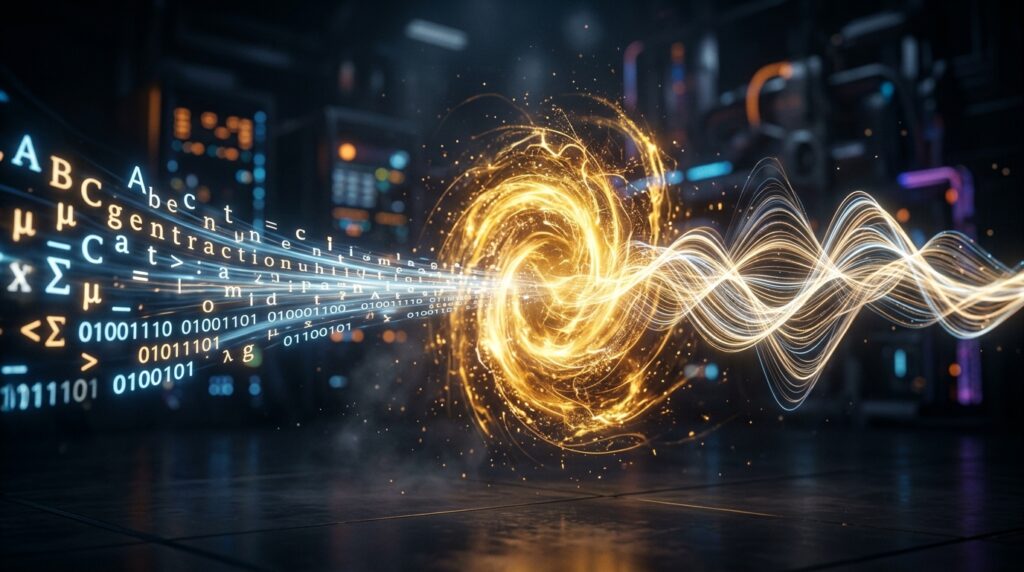
Understanding the mechanics helps you use these tools more effectively. Here’s a simplified breakdown of the process.
Step 1: Text Input
You provide the script, either by typing it directly or uploading a document.
Step 2: Language Processing
The AI analyzes the text to understand punctuation, sentence structure, and context. This helps it figure out where to pause, which words to emphasize, and how a sentence should generally flow.
Step 3: Voice Modeling
Most modern tools rely on deep learning models trained on large datasets of recorded human speech. These models learn patterns like tone, rhythm, and pronunciation, then apply them to new text they’ve never seen before.
Step 4: Audio Synthesis
The system generates the actual sound waves that make up the spoken output. This is where the AI decides how each word should actually sound, including subtle details like breathing pauses or slight pitch changes.
Step 5: Output and Editing
The finished audio file is delivered, often in formats like MP3 or WAV. Many platforms also let you fine-tune speed, pitch, and emphasis before finalizing.
A common scenario is a podcaster writing a script, generating a rough draft in an AI voice, listening back, and then tweaking phrasing until the delivery sounds natural.
Who Actually Uses AI Voice Generators?

The audience for this technology is broader than most people expect. Here are some of the most common use cases.
- Content creators producing YouTube videos, explainer content, or faceless channels
- Businesses creating product demo voiceovers or customer support scripts
- Students and educators turning written material into audio study guides
- App and game developers adding character voices without hiring actors
- Podcasters generating intros, outros, or entire narrated episodes
- Accessibility advocates helping visually impaired users consume written content
- Marketers producing multilingual ad voiceovers without re-recording from scratch
Many users notice that once they try AI voice generation for one project, they end up using it repeatedly because it saves so much production time.
Key Features to Look For
Not all AI voice generators are built the same way. Before choosing one, pay attention to these factors.
Voice Naturalness
Listen to sample audio before committing. Some tools still sound slightly mechanical, especially with longer sentences or complex punctuation.
Language and Accent Support
If you’re creating content for a global audience, check how many languages and regional accents are supported.
Customization Options
Look for controls over speed, pitch, tone, and emotional emphasis. The more control you have, the more polished your final audio will sound.
Voice Cloning Capability
Some platforms allow you to create a custom voice model based on a sample recording. This is useful for creators who want a consistent, recognizable voice across projects.
File Export Options
Check whether the tool supports the formats you need, along with commercial usage rights if you plan to monetize your content.
Pricing Structure
Many tools offer a free tier with limited characters or minutes per month, then move to subscription pricing for higher usage.
Best AI Voice Generators to Consider
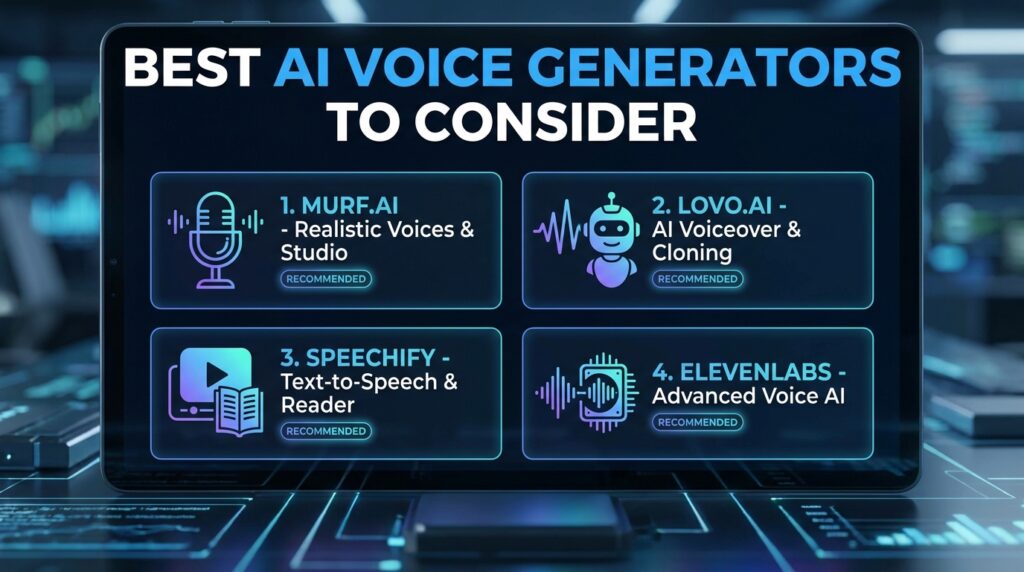
While there are dozens of options on the market, a few categories consistently stand out based on general reputation and feature sets. Rather than naming an exhaustive list, here’s how to think about the main types available.
Studio-Grade Platforms
These are built for professional content creators and businesses. They typically offer the most natural-sounding voices, extensive customization, and voice cloning features. They tend to come with higher price tags but deliver broadcast-quality results.
Mid-Tier Creator Tools
Designed for YouTubers, podcasters, and small businesses, these platforms balance affordability with solid voice quality. They usually include a generous free trial and simple editing interfaces.
Free and Open-Source Options
Great for beginners, students, or anyone testing the waters before investing money. Voice quality can vary, and some free tools have character limits or watermarks on exported audio.
Built-In App Features
Many video editing and design apps now include basic text-to-speech functionality directly inside their platform, which is convenient if you’re already working within that ecosystem.
AI Voice Generators Comparison Table
| Category | Best For | Typical Cost | Voice Quality | Customization |
|---|---|---|---|---|
| Studio-Grade Platforms | Professionals, agencies | High (subscription) | Excellent | Extensive |
| Mid-Tier Creator Tools | YouTubers, podcasters | Moderate | Very Good | Good |
| Free/Open-Source Tools | Students, beginners | Free or low-cost | Fair to Good | Limited |
| Built-In App Features | Casual/occasional use | Included in app | Basic to Good | Minimal |
This table is meant as a general guide. Actual quality and pricing vary by provider and update frequently, so it’s worth testing a free trial before subscribing to any paid plan.
Step-by-Step: How to Create Your First AI Voice
If you’re trying this for the first time, here’s a simple process to follow.
- Write a clean script. Keep sentences clear and avoid overly complex punctuation, since this affects how naturally the AI reads your text.
- Choose your platform. Pick a tool based on your budget and the language or accent you need.
- Select a voice. Most platforms offer a voice library you can preview before generating your full script.
- Generate a short test clip first. Don’t commit to a long project until you’ve confirmed the voice sounds right.
- Adjust pacing and emphasis. Use built-in controls to slow down technical sections or emphasize key phrases.
- Generate the full audio. Once you’re happy with the test, run the complete script.
- Listen back carefully. Check for mispronunciations, especially with brand names, technical terms, or uncommon words.
- Edit if needed. Some platforms let you regenerate specific sentences rather than the entire file.
- Export in the right format. Choose the file type that matches your project, whether that’s for video editing, podcast hosting, or app integration.
Pros and Cons of AI Voice Generators
Pros
- Saves significant time compared to traditional recording
- No need for expensive microphones or soundproof rooms
- Supports multiple languages and accents
- Easy to edit and regenerate without rebooking talent
- Affordable compared to hiring professional voice actors
- Useful for accessibility and multilingual content
Cons
- Some voices can still sound slightly artificial in longer content
- Pronunciation errors happen with uncommon names or technical jargon
- Emotional nuance can be harder to achieve than with a real human voice
- Free tiers often come with usage limits or watermarks
- Ethical and legal questions around voice cloning are still evolving
Common Mistakes to Avoid
Skipping the Test Clip
Generating an entire long script before testing a short sample often leads to wasted time if the voice doesn’t fit the project.
Ignoring Punctuation
AI voice generators rely heavily on punctuation to determine pacing. Missing commas or periods can make speech sound rushed or unnatural.
Choosing the Wrong Voice for the Audience
A voice that works well for a corporate training video might feel completely wrong for a casual vlog. Match the tone to your content.
Overusing Voice Effects
Adding too much pitch or speed adjustment can make audio sound unnatural. Small, subtle changes usually work best.
Forgetting Commercial Usage Rights
Not every plan allows commercial use of generated audio. Always check licensing terms before using AI voice output in monetized content.
AI Voice Generators vs Traditional Voice Recording
| Factor | AI Voice Generator | Traditional Recording |
|---|---|---|
| Speed | Minutes | Hours to days |
| Cost | Low to moderate | Can be high, especially with talent fees |
| Consistency | Very consistent | Depends on recording conditions |
| Emotional depth | Improving, but still limited | Naturally strong |
| Flexibility | Easy to edit and regenerate | Requires re-recording |
| Equipment needed | None | Microphone, quiet space, editing software |
For high-budget productions like feature films, human voice acting still tends to deliver the strongest emotional performances. But for everyday content like tutorials, explainer videos, or product narration, AI voice generation is often the more practical choice.
Is It Legal and Ethical to Use AI Voices?
Using AI voice generators for original content you create is generally accepted practice, especially for tools where you’re using licensed synthetic voices provided by the platform.
However, there are important ethical lines to be aware of.
- Cloning a real person’s voice without their consent raises serious legal and ethical concerns, even if the technology makes it technically possible.
- Using a cloned celebrity or public figure’s voice without permission can lead to legal action in many jurisdictions.
- Always review a platform’s terms of service regarding commercial use, especially if you plan to monetize the content.
- Disclosure expectations vary by platform and use case, so check relevant guidelines if you’re publishing in regulated industries like finance or healthcare.
If you’re ever unsure whether a specific use case is permitted, it’s worth reviewing the platform’s official policy directly, since rules do vary between providers and continue to evolve.
Frequently Asked Questions
What is the best AI voice generator for beginners? Beginners generally do well starting with a free or low-cost tool that offers a simple interface and a generous trial period, so they can test voice quality before committing to a paid plan.
Can AI voice generators sound like a real human? Many modern tools produce audio that sounds very close to natural human speech, especially for straightforward scripts. Longer or emotionally complex content can still reveal small inconsistencies.
Are AI voice generators free to use? Many platforms offer free plans with limited characters or minutes per month. Full-featured plans with commercial rights typically require a paid subscription.
Can I use AI voice generators for YouTube videos? Yes, many creators use AI voices for faceless YouTube channels, tutorials, and explainer videos. Just make sure your chosen plan allows commercial use.
Do AI voice generators support multiple languages? Most established platforms support a wide range of languages and regional accents, though quality can vary depending on how well-trained the model is for that specific language.
Is voice cloning the same as AI voice generation? Voice cloning is a specific feature within some AI voice generators that creates a custom voice model based on a sample recording. Standard AI voice generation uses pre-built voices instead.
How long does it take to generate AI voice audio? Most platforms generate audio within seconds to a few minutes, depending on script length and server demand.
Final Conclusion
AI voice generators have moved from a niche novelty to a genuinely useful tool for creators, businesses, and everyday users. They save time, reduce production costs, and open up possibilities that used to require a full recording studio and a trained voice actor.
That said, the technology isn’t perfect. Test before you commit, pay attention to licensing terms, and always match the voice to your content’s tone. Used thoughtfully, an AI voice generator can become one of the most efficient tools in your content creation workflow.
Key Takeaways
- AI voice generators convert written text into natural-sounding speech using machine learning.
- They’re used by content creators, businesses, educators, and developers for a wide range of projects.
- Voice naturalness, language support, and customization options are the most important features to compare.
- Always test a short clip before generating a full script.
- Check commercial usage rights before monetizing AI-generated audio.
- Voice cloning raises ethical and legal considerations that require consent and careful platform review.
- For everyday content like tutorials and explainer videos, AI voice generation is often faster and more affordable than traditional recording.